
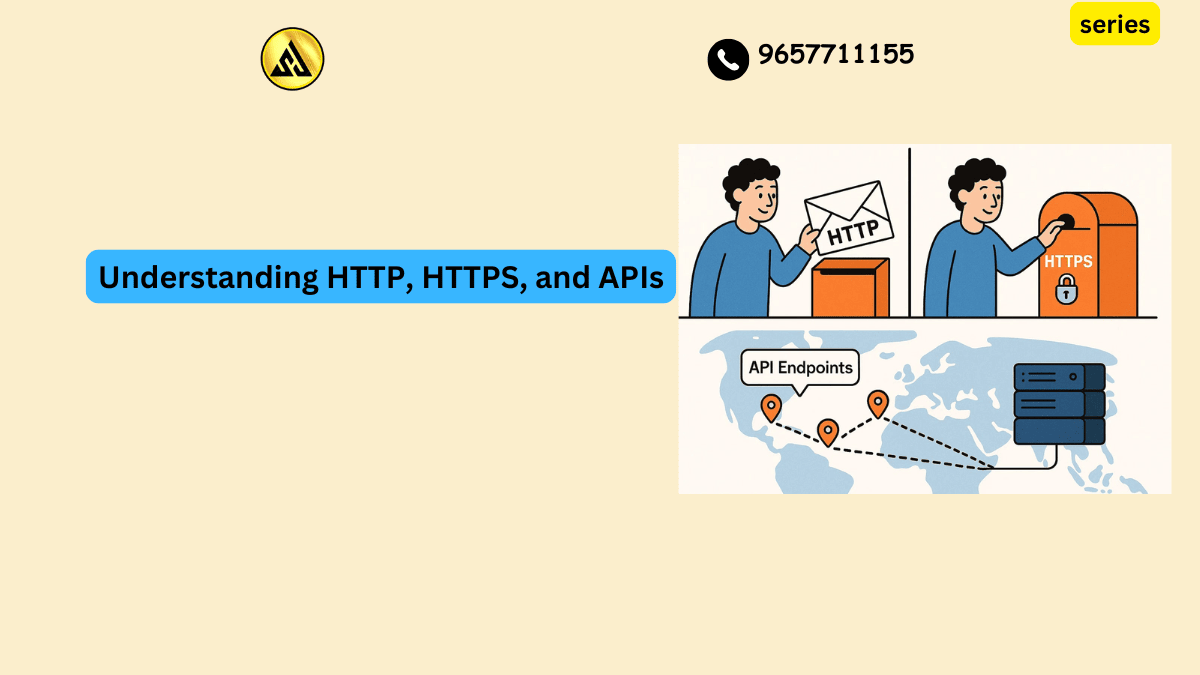
HTTP, HTTPS, and APIs Explained
Almost everything you do online, from checking your email to scrolling through a shopping app to streaming a video, depends on a handful of technical concepts working quietly in the background. HTTP, HTTPS, and APIs are three of the most fundamental building blocks of the internet, yet most people use them every single day without ever understanding what they actually do. If you are learning web development, working in tech adjacent roles, or simply curious about how the websites and apps you rely on actually function, getting a solid grasp on these three concepts will change how you see the internet entirely.
This guide breaks down what HTTP, HTTPS, and APIs really are, how they relate to each other, and why understanding them matters even if you never write a single line of code.
What Is HTTP and Why Does It Matter
HTTP stands for Hypertext Transfer Protocol, and at its core, it is simply a set of rules that allow your browser and a web server to talk to each other. Think of it as a shared language. When you type a website address into your browser and press enter, your browser sends an HTTP request to a server somewhere, asking for the page you want to see. The server processes that request and sends back an HTTP response, which usually includes the webpage content your browser then displays.
This request and response cycle happens constantly, often dozens of times for a single page load, since modern websites pull in images, scripts, fonts, and other resources separately. Every one of those resource requests follows the same basic HTTP pattern.
The Different Types of HTTP Requests
HTTP requests come in different types, often called methods, and understanding the most common ones helps clarify how the web actually works behind the scenes. A GET request is the most familiar one. It simply asks a server to retrieve information, like loading a webpage or fetching a list of products on an online store. A POST request sends information to a server, which happens when you submit a form, post a comment, or upload a photo. PUT and PATCH requests update existing information, and DELETE requests, as the name suggests, remove something.
A practical example makes this concrete. When you log into your email account, your browser sends a POST request containing your username and password to the email provider’s server. The server checks those credentials and sends back a response either granting access or rejecting the attempt. Every interactive thing you do on a website maps back to one of these underlying HTTP methods.
HTTP Status Codes Explained Simply
Anyone who has spent time online has run into a 404 error page. That number is an HTTP status code, and these codes are how servers communicate the outcome of a request back to your browser in a standardized way. Codes starting with 2, like 200, mean success. Codes starting with 4, like 404 or 403, indicate a problem on the requester’s side, such as asking for a page that does not exist or trying to access something without permission. Codes starting with 5, like 500, point to a problem on the server’s side.
Recognizing these codes is genuinely useful even outside of technical work. If you are troubleshooting why a website will not load, knowing the difference between a 404 meaning the page is gone and a 500 meaning the server itself is having trouble can save you time and help you describe the problem accurately to a support team.
Why HTTPS Exists and What Changed
HTTPS stands for Hypertext Transfer Protocol Secure, and the addition of that one word, secure, represents a significant upgrade over plain HTTP. The fundamental request and response pattern stays the same, but HTTPS adds encryption to the entire exchange.
Without encryption, information traveling between your browser and a website’s server moves in plain, readable text. Anyone intercepting that traffic, whether on a public WiFi network at a coffee shop or through a compromised network somewhere along the path, could potentially read everything being sent, including passwords, credit card numbers, and personal messages. HTTPS solves this by encrypting the data before it leaves your device, so even if someone intercepts it, what they capture is scrambled and unreadable without the proper decryption key.
How HTTPS Encryption Actually Works
The encryption in HTTPS relies on something called TLS, which stands for Transport Layer Security. When your browser connects to a website using HTTPS, it performs what is often called a handshake with the server. During this handshake, the browser and server agree on encryption methods and exchange cryptographic keys that will be used to scramble and unscramble the data being sent back and forth for that session.
This entire process happens in a fraction of a second and is completely invisible to the average user, which is exactly the point. You should not need to think about encryption every time you check your bank balance online. The padlock icon that appears in your browser’s address bar is the simple visual signal confirming that this handshake succeeded and your connection is encrypted.
Why Every Website Should Use HTTPS Today
A decade ago, HTTPS was mostly reserved for sites handling sensitive information like banking or shopping. That distinction has essentially disappeared. Search engines now factor HTTPS into ranking decisions, and browsers actively flag plain HTTP sites as not secure, which damages user trust the moment someone lands on the page. Beyond search visibility, there is a basic ethical argument here too. Any site collecting even minimal user information, like an email signup form, has a responsibility to protect that data in transit, and HTTPS is the baseline expectation for doing so responsibly.
If you run a website that still uses plain HTTP in 2026, migrating to HTTPS is no longer optional groundwork, it is a fundamental requirement, and most hosting providers now offer free SSL certificates that make the switch far less complicated than it used to be.
What an API Actually Is
API stands for Application Programming Interface, and while the term sounds intimidating, the underlying concept is approachable once you see it in action. An API is essentially a defined way for two different pieces of software to communicate with each other, exchanging data or triggering actions without either system needing to know the internal details of how the other one works.
A helpful analogy is a restaurant. You, the customer, do not walk into the kitchen and cook your own meal. Instead, you tell a waiter what you want, the waiter communicates that request to the kitchen, and the kitchen sends back exactly what you asked for through the waiter. You never need to understand how the kitchen operates internally. The waiter, in this analogy, is the API, translating your request into something the kitchen understands and returning a usable response.
A Real World Example of an API in Action
Imagine a weather app on your phone. That app almost certainly does not have its own network of weather sensors scattered across the globe. Instead, it sends a request to a weather data provider’s API, asking for the current conditions in your location. The weather provider’s server processes that request and sends back the relevant data, like temperature and forecast information, formatted in a way the app can easily display. The app takes that data and presents it to you in a clean, readable interface.
This same basic pattern powers an enormous portion of modern software. When you book a flight through a travel app and see real time prices from multiple airlines, that app is making API requests to each airline’s booking system behind the scenes. When you use your Google account to log into a different service without creating a new password, that login flow is happening through an API connection between the two platforms.
How HTTP, HTTPS, and APIs Connect to Each Other
These three concepts are not separate, unrelated pieces of technical trivia. They work together as layers of the same overall system. Most APIs, particularly the common type known as REST APIs, are built directly on top of HTTP. When an app makes an API request, it is typically sending an HTTP request, using the same GET, POST, PUT, and DELETE methods discussed earlier, just directed at a different kind of endpoint designed for software to software communication rather than a human browsing a webpage.
HTTPS then becomes the secure version of that same communication channel. A well built API in 2026 should always use HTTPS rather than plain HTTP, because API requests frequently carry sensitive information, like authentication tokens, personal data, or payment details, that absolutely should not travel across the internet unencrypted.
A Simple Way to Picture the Relationship
If it helps to visualize this, think of HTTP as the basic language two computers use to talk. HTTPS is that same language spoken inside a locked, soundproof room where nobody outside can listen in. And an API is a specific, agreed upon conversation format that two pieces of software use so they understand exactly what the other one is asking for and how to respond appropriately. Put together, a secure API call is essentially two systems having a structured conversation inside that locked room, asking for specific pieces of information and getting clear, predictable answers back.
Why This Matters Even If You Are Not a Developer
You might be wondering why any of this matters if you are not planning to write code yourself. The honest answer is that understanding these concepts makes you a more informed user, employee, and decision maker in an increasingly connected world.
If you work in marketing and your team wants to integrate a new tool with your existing customer database, understanding that this integration happens through an API helps you ask smarter questions about data security and reliability. If you are evaluating software vendors for your company, knowing to ask whether their platform offers a well documented API can be the difference between a tool that fits smoothly into your existing systems and one that creates years of manual workaround headaches. Even something as simple as noticing whether a website uses HTTPS before entering your payment information is a small but meaningful piece of digital literacy that protects you directly.
Practical Tips for Everyday Internet Use
A few habits make a real difference once you understand these basics. Always check for the padlock icon and HTTPS in the address bar before entering any personal or financial information on a website. If a site shows a not secure warning, treat that as a genuine red flag rather than something to click past. When evaluating any software tool for personal or business use, ask directly whether it offers API access, since this single feature often determines how well that tool will work alongside everything else you already use. And if you are just starting to learn web development or technical skills, spend real time experimenting with a public API using a free tool like Postman, since nothing builds understanding faster than actually sending requests and seeing the responses come back in real time.
Final Thoughts
HTTP, HTTPS, and APIs might sound like dry technical acronyms at first glance, but they represent the actual plumbing that makes the modern internet function. HTTP gives computers a shared language for requesting and delivering information. HTTPS wraps that language in encryption to keep your data private and safe. APIs give different pieces of software a structured way to talk to each other, powering everything from weather apps to flight bookings to the login button you tap without a second thought. Once you understand how these three pieces fit together, the internet stops feeling like an unexplainable black box and starts looking like what it actually is, a remarkably well organized system of conversations happening between machines, all built on a handful of ideas simple enough for anyone to understand.
Frequently Asked Questions
What is the difference between HTTP and HTTPS?
HTTP (Hypertext Transfer Protocol) and HTTPS (Hypertext Transfer Protocol Secure) are both used for transferring data over the internet, but HTTPS is a secure version of HTTP that uses encryption to protect data. This encryption ensures that any data exchanged between a website and its users remains confidential and secure. Using HTTPS is essential for websites that handle sensitive information, such as passwords or credit card numbers.
What is an API, and how does it work?
An API, or Application Programming Interface, is a set of defined rules that enables different software systems to communicate with each other. APIs work by allowing one system to send a request to another system, which then processes the request and returns a response. This enables different applications to share data and functionality, and is commonly used for retrieving data from external services or integrating third-party functionality into an application.
Why do I need to use HTTPS when working with APIs?
Using HTTPS when working with APIs is essential for securing the data that is being exchanged between systems. When you use HTTP to connect to an API, any data you send or receive can be intercepted and read by third parties, which can be a serious security risk. By using HTTPS, you can ensure that all data exchanged between your application and the API is encrypted and secure.
Can I use HTTP to connect to an API if I’m just testing or developing an application?
While it may be tempting to use HTTP when testing or developing an application, it’s generally not recommended. Even in a development environment, using HTTP can still pose a security risk, especially if you’re handling sensitive data. It’s best to use HTTPS from the start, even in development, to ensure that your application is secure and to avoid having to switch to HTTPS later on.
How do I know if an API is using HTTP or HTTPS?
You can usually determine if an API is using HTTP or HTTPS by looking at the URL of the API endpoint. If the URL starts with “https://”, then the API is using HTTPS. If it starts with “http://”, then it’s using HTTP. You can also check the API documentation or contact the API provider to confirm which protocol is being used.
